Documentation Index
Fetch the complete documentation index at: https://docs.hipocap.com/llms.txt
Use this file to discover all available pages before exploring further.
Overview
Tags are string identifiers that you can attach to spans. They’re useful for categorization and filtering:
- Filter traces/spans in the UI (for example, “show all traces tagged
beta-feature”)
- Group traces for aggregate analysis
- Mark traces for review (for example,
needs-review, regression)
You can add tags to a span when it’s created, from inside its span context, or post-hoc after a trace finishes.
Tags are different from metadata: tags are strings on spans; metadata is key-value context on the trace. See Metadata for a detailed comparison.
In Laminar, tags are managed in the UI (Tags page). You can create tags in advance, or create a new tag while tagging a span.
Sometimes you have context prior to running a function and you want to tag it at creation time. For example, you may want to tag a span with the model provider endpoint you use, or the test dataset used to run a request.
Example: Tagging a manual span
This is a dynamic way to tag a span: decide which tags to apply at runtime when you create it.
import { Laminar } from '@lmnr-ai/lmnr';
const span = Laminar.startSpan({
name: 'foo',
tags: ['my_tag', 'another_tag'],
});
try {
await Laminar.withSpan(span, async () => {
// your code here
});
} finally {
span.end();
}
See also: Laminar.startSpan and Laminar.withSpan.from lmnr import Laminar, use_span
span = Laminar.start_span(
name="foo",
tags=["my_tag", "another_tag"],
)
try:
with use_span(span):
# your code here
pass
finally:
span.end()
See also: Laminar.start_span and use_span().
Note that only the span created by this startSpan / start_span call will have the tags—child spans don’t inherit tags automatically.
Example: Tagging an observed function
This is a static way to tag a span: the observed function will always have the same set of tags.
import { observe } from '@lmnr-ai/lmnr';
await observe(
{
name: 'foo',
tags: ['my_tag', 'another_tag'],
},
async (message: string) => {
// your code here
},
'Hello, world!'
);
See also: observe(options, fn, ...args).from lmnr import observe
@observe(name="foo", tags=["my_tag", "another_tag"])
def foo(message: str):
# your code here
pass
foo("Hello, world!")
See also: @observe().
Example: Tagging any span from within its context
For adding span tags to work, you must call it inside a span context (for example, inside observe() / an @observed function).
import { Laminar, observe } from '@lmnr-ai/lmnr';
async function foo(message: string) {
if (message.length > 100) {
// ✅ Correct usage. We are inside a span context.
Laminar.setSpanTags(['long_input']);
}
}
// ❌ Incorrect usage. We are not inside any span context. This will not work.
// Laminar.setSpanTags(['my_tag', 'another_tag']);
await observe({ name: 'foo' }, foo, 'a'.repeat(200));
See also: Laminar.setSpanTags and observe(options, fn, ...args).from lmnr import Laminar, observe
@observe(name="foo")
def foo(message: str):
if len(message) > 100:
# ✅ Correct usage. We are inside a span context.
Laminar.add_span_tags(["long_input"])
# ❌ Incorrect usage. We are not inside any span context. This will not work.
# Laminar.add_span_tags(["my_tag", "another_tag"])
foo("a" * 200)
See also: Laminar.add_span_tags and @observe().
This is useful for incorporating user feedback into a trace for further analysis.
2.1. Tagging in the Laminar UI
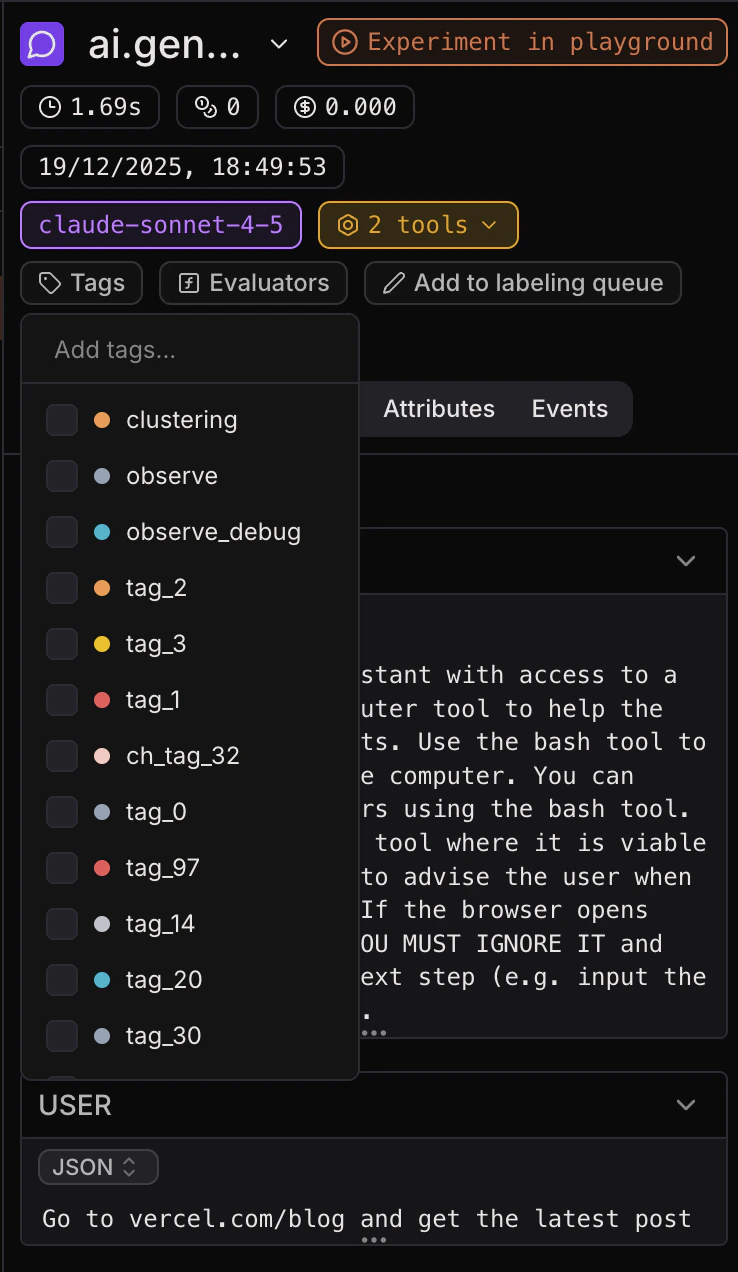
Once you’ve created and sent a trace to Laminar, you can add tags to spans in the Laminar UI.
- Open a trace (in Traces) or a span (in Spans).
- Select the span you want to tag.
- Click Add tags, then select existing tags (or create a new one).
2.2. Tagging in the Laminar SDK
You can also add tags to a completed trace in the Laminar SDK using LaminarClient.tags.tag. This adds tags to the top-level (root) span of the trace.
import { Laminar, LaminarClient, observe } from '@lmnr-ai/lmnr';
const laminarClient = new LaminarClient();
// Take note of the traceId.
const { traceId } = await observe({ name: 'chat_completion' }, async () => {
return {
// ✅ Correct usage. We are inside a span context,
// so `getTraceId` returns a string UUID.
traceId: Laminar.getTraceId(),
};
});
await Laminar.flush();
// Call this later, when you get user feedback.
const userFeedbackHandler = (traceId: string, userFeedback: 'good' | 'bad') =>
laminarClient.tags.tag(traceId, userFeedback);
See also: client.tags.tag(traceId, tags).from lmnr import Laminar, LaminarClient, observe
laminar_client = LaminarClient()
# Take note of the trace_id.
@observe(name="chat_completion")
def chat_completion():
return Laminar.get_trace_id()
trace_id = chat_completion()
Laminar.flush()
# Call this later, when you get user feedback.
def user_feedback_handler(trace_id: str, user_feedback: str):
laminar_client.tags.tag(trace_id, user_feedback)
See also: client.tags.tag(trace_id, tags).
Make sure to call Laminar.getTraceId() / Laminar.get_trace_id() inside a span context. Outside, it returns null / None.
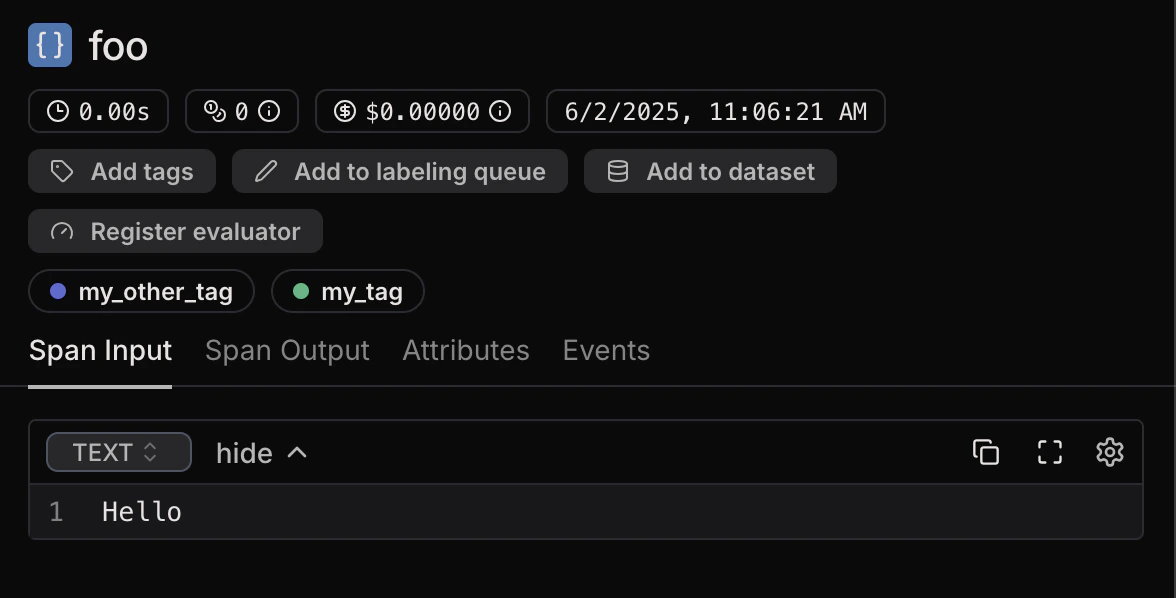
The tags will be visible in the Laminar UI, shown on each span as shields.
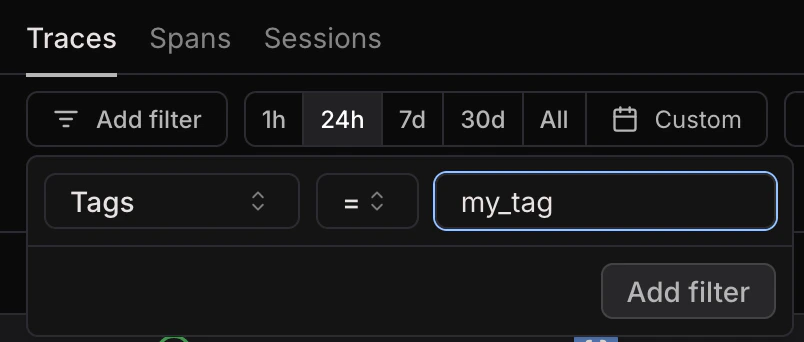
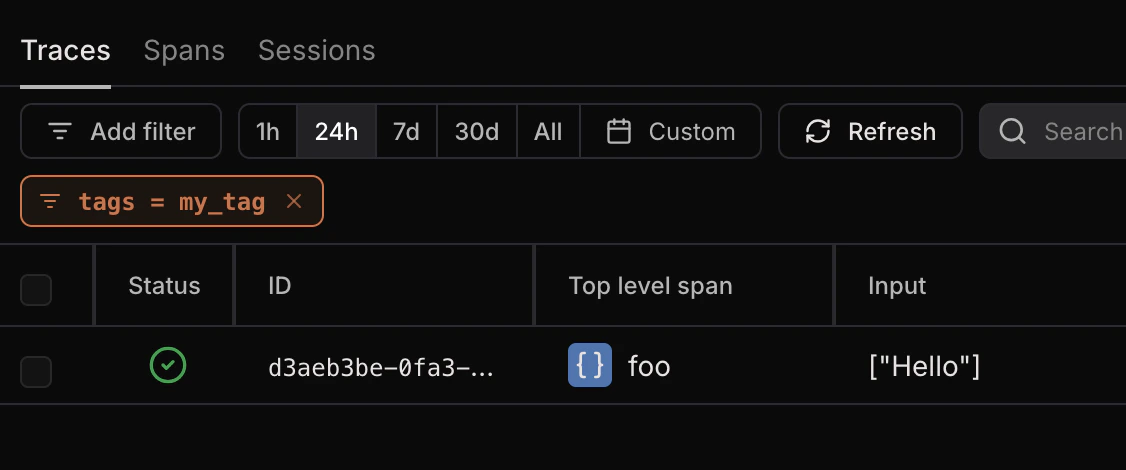
In the Traces view and the Spans view, you can filter by span tags.
Simply add a “Tags” filter and type the name of the tag you want to include.