
Hipocap Shield currently supports Python only. The Hipocap Shield integrates with Laminar for observability, which supports both Python and TypeScript. However, the security analysis features (Shield) are only available in Python.
Quick Start Guide
Step 1: Install Hipocap
Install the Hipocap Python package:Step 2: Get Your API Keys
You’ll need API keys for Hipocap:-
Hipocap API Key (
HIPOCAP_API_KEY): For security analysis and observability- Book a demo to get access to Hipocap Cloud, or
- Use your self-hosted instance (see Hosting Options)
- Get this from your Hipocap project settings
-
Hipocap User ID (
HIPOCAP_USER_ID): For user context and RBAC- Get this from your Hipocap project settings
- Used for role-based access control
Step 3: Initialize Hipocap
Add initialization code at the start of your application (before any LLM calls):Step 4: Add Tracing to Your Functions
Use the@observe() decorator to trace your functions:
Step 5: Add Security Analysis
Protect sensitive function calls with Hipocap Shield:Complete Example
Here’s a complete working example:What Happens Next?
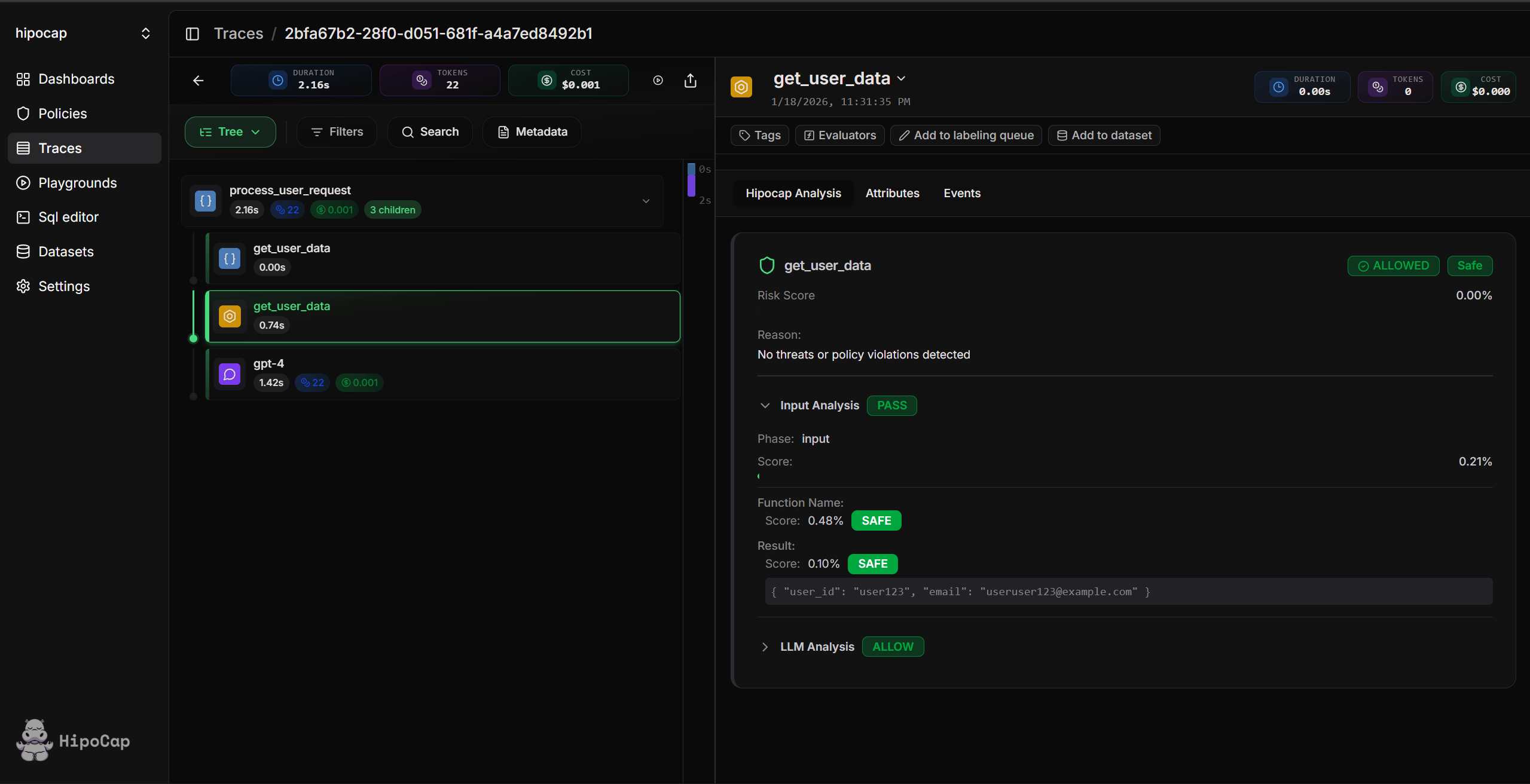
- Traces are captured: All LLM calls and
@observe()functions are automatically traced - Security analysis runs: Function calls are analyzed for threats (if enabled)
- View in dashboard: Open your Hipocap dashboard to see traces and security events
Next Steps
Tracing
Learn how to trace LLM calls, tool executions, and custom functions.
AI Security
Set up the Hipocap Shield to protect against prompt injection and sensitive keyword exposure.
Governance & RBAC
Configure role-based access control and function-level permissions.
Hosting Options
Choose between Hipocap Cloud and self-hosting.
Using LLM Assistants for Setup (Optional)
Want an LLM (or coding agent) to help with setup? Pick the prompt that matches what you’re doing and paste it into your assistant along with your codebase context. How to use:- Choose the prompt that matches your scenario
- Click the button to copy the prompt
- Paste it into your LLM assistant (Claude, ChatGPT, etc.) along with your codebase
- The assistant will help you set up Hipocap step-by-step