
What Are Clusters?
Every event has anattribute field containing JSON data. Clusters group events by extracting a string value from this JSON using a Mustache template, then grouping events with similar extracted values.
For example, if your events have attributes like {"error_message": "Connection timeout", "url": "..."}, you can cluster by {{error_message}} to group similar errors together.
Common patterns that emerge:
- Similar failures — Errors with the same root cause, regardless of surface differences (for example, 47 failures all caused by lazy-loaded content).
- Behavioral groups — Events that share a common action or intent (for example, all “search for product” events).
Set up clustering
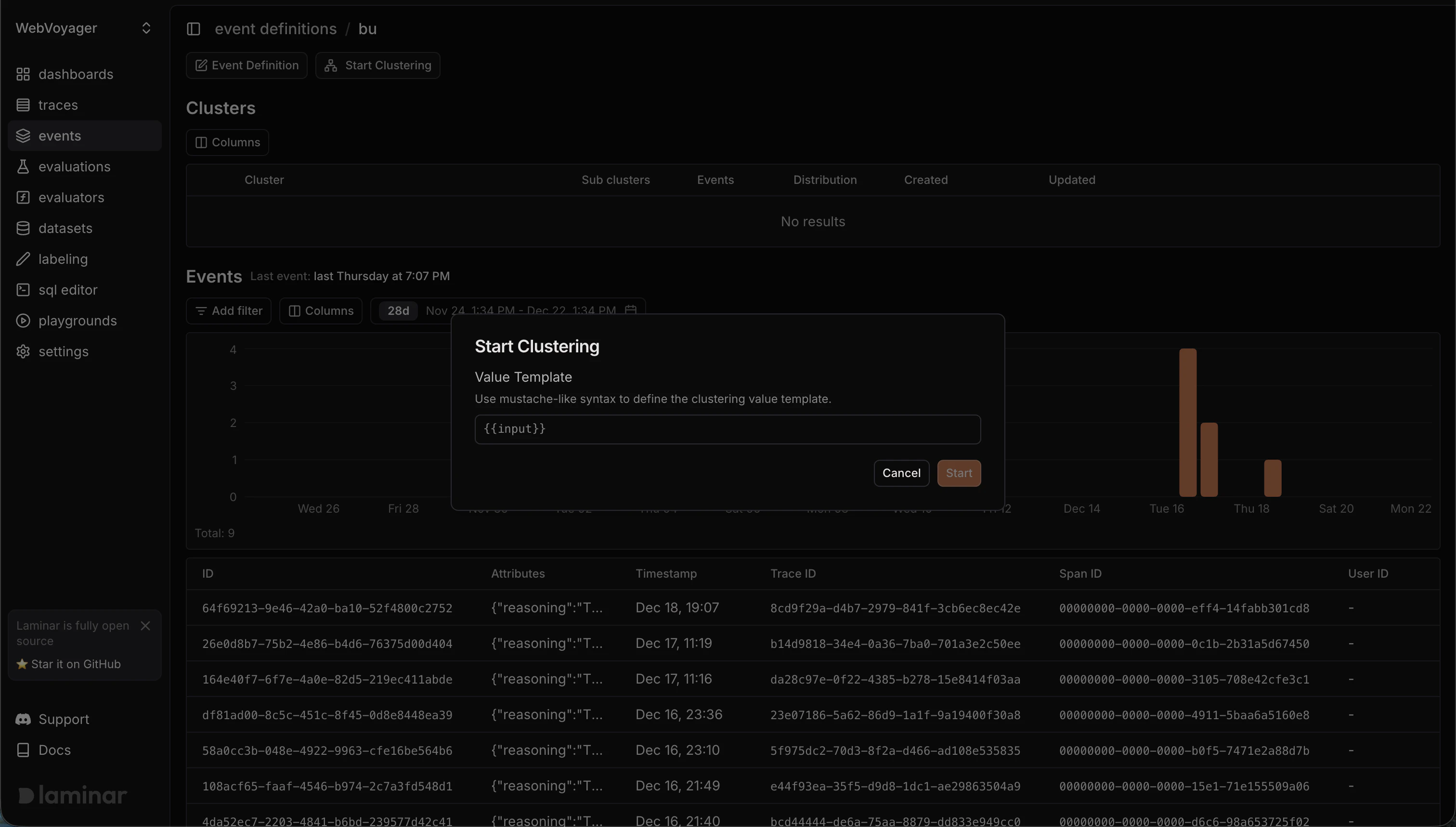
Starting clustering for a semantic event definition
- In Events, click your event definition to open it.
- Click Start Clustering.
- Enter a Value Template — a Mustache string like
{{content}}or{{error.message}}that extracts the value to cluster on from the event’sattributeJSON. - Click Start, then switch to Clusters to see grouped results.
How Clustering Works
Every event stores its data in anattribute field as JSON. When you start clustering:
- Laminar evaluates your Mustache template against each event’s
attributeJSON - The template extracts a string value (for example,
{{content}}pulls thecontentfield) - Events with similar extracted strings are grouped into clusters
What You Can Do With Clusters
Understand user behavior — See what users are actually trying to accomplish, not just what buttons they clicked. Intent clusters reveal the “why” behind actions. Debug at scale — When something breaks, find all similar failures instantly. One fix addresses an entire cluster of issues. Detect anomalies — Unusual patterns surface automatically. Spot problems before users report them. Track trends — See how behavior changes over time. New clusters emerging? Old patterns disappearing? Build datasets — Export clusters as evaluation datasets. Test your agent against real-world patterns, not synthetic examples.Viewing Clusters
In the Laminar dashboard:- Go to Events to see the raw event stream
- Switch to Clusters to see grouped patterns
- Click any cluster to see its members, centroid, labels, and confidence score
- Filter by time range, event type, or cluster label
- Export cluster members to a dataset for evaluation
Example: Finding Extraction Failures
Your browser agent extracts product data. Some extractions fail. Eachextraction.failed event has an attribute like:
- Start clustering with the template
{{error_message}} - View clusters to see failures grouped by similar error messages
- One cluster shows 47 failures, all on sites with lazy-loaded content
- Another cluster shows 12 failures, all with the same malformed selector
- Fix each root cause once, verify with the cluster members