Creating a Basic Online Evaluator
This example walks through setting up a simple online evaluator that checks if an LLM response contains specific keywords, useful for content moderation or topic classification.1
1. Navigate to Evaluators Page
From your Laminar dashboard, go to the Evaluators page and click “New Evaluator” to start creating your custom evaluation logic.
2
2. Define Your Evaluator Function
Create a Python function that analyzes the LLM output. This example checks for the presence of specific keywords and assigns a score based on relevance.Important: Online evaluator functions must return a single number as the score. The system automatically attaches this score to the span for monitoring and analysis.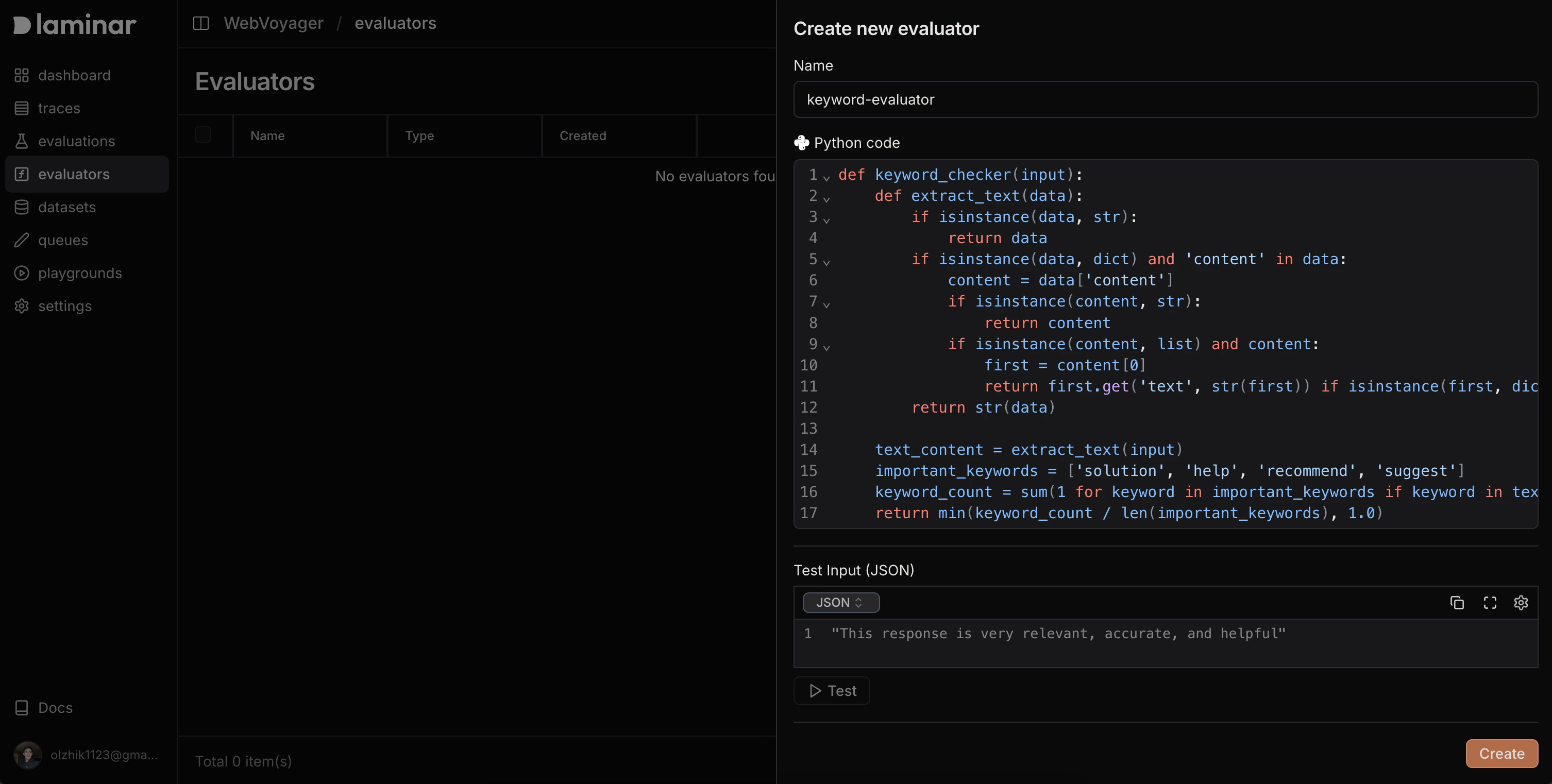
3
3. Test Your Evaluator
Use the test interface to verify your evaluator works correctly with sample inputs.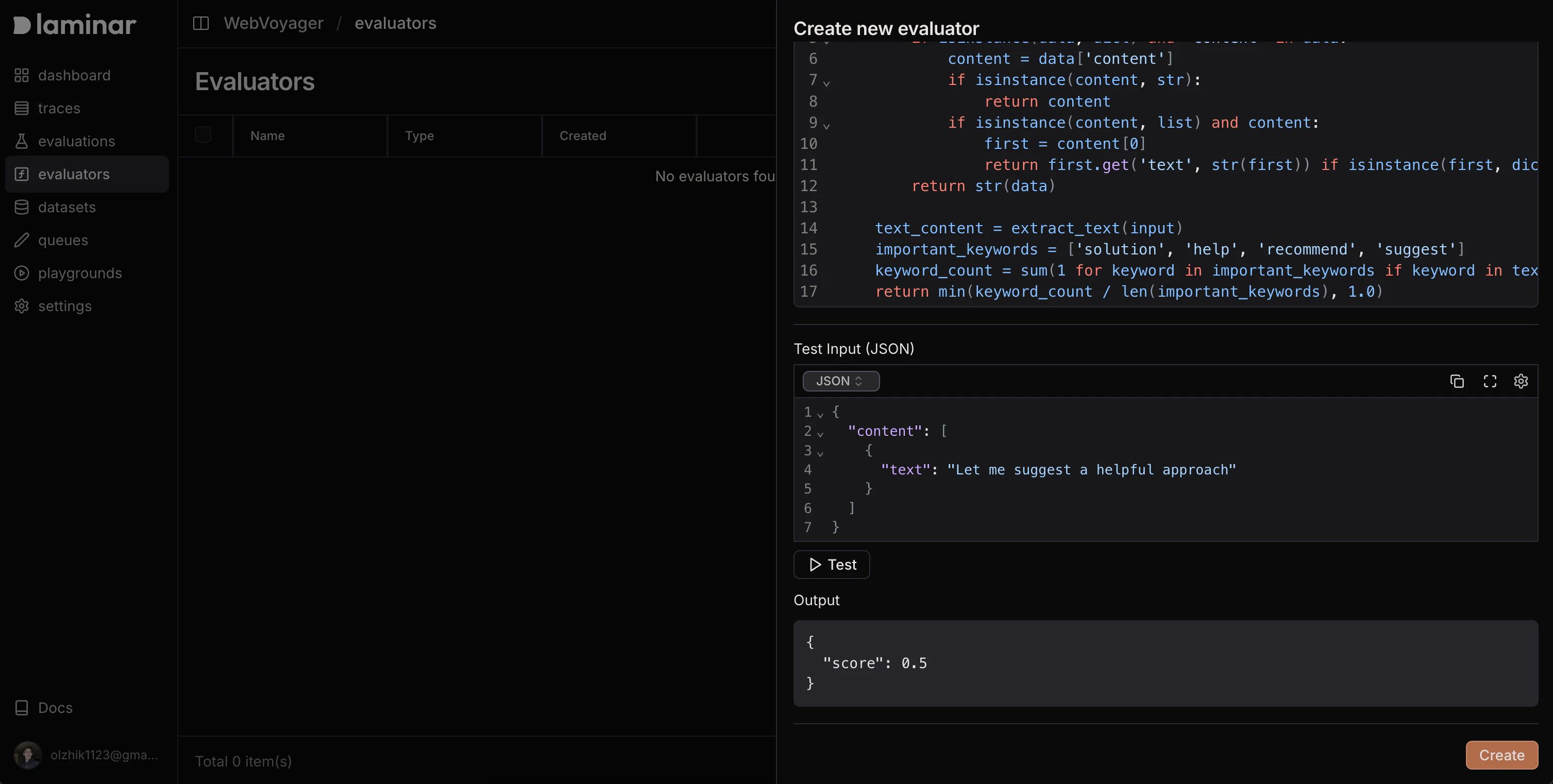
4
4. Register to Span Path
Navigate to your traces, find a span representing the LLM call you want to evaluate, and register your evaluator to that specific span path by clicking evaluators on span view.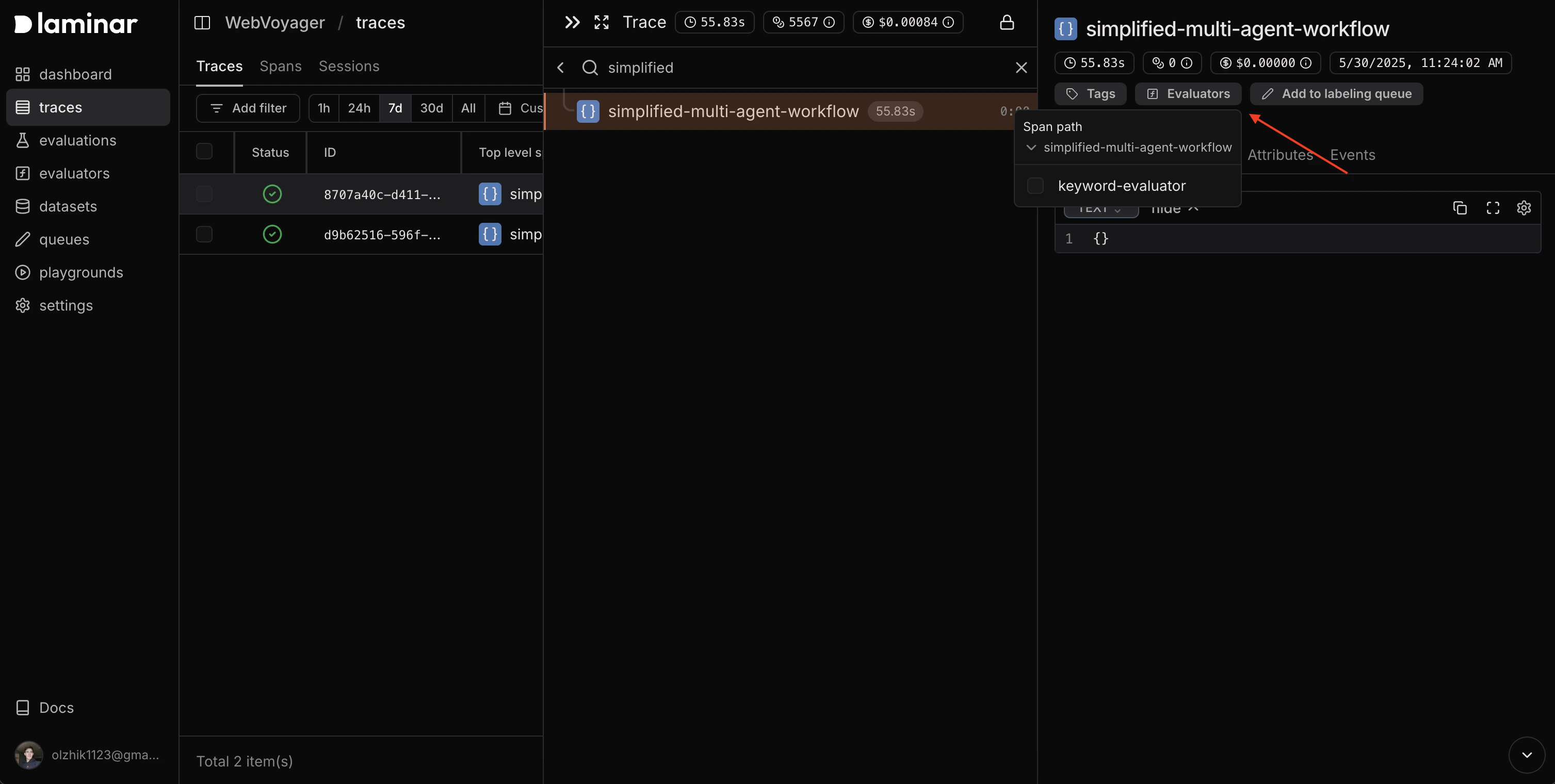
5
5. Verify Automatic Execution
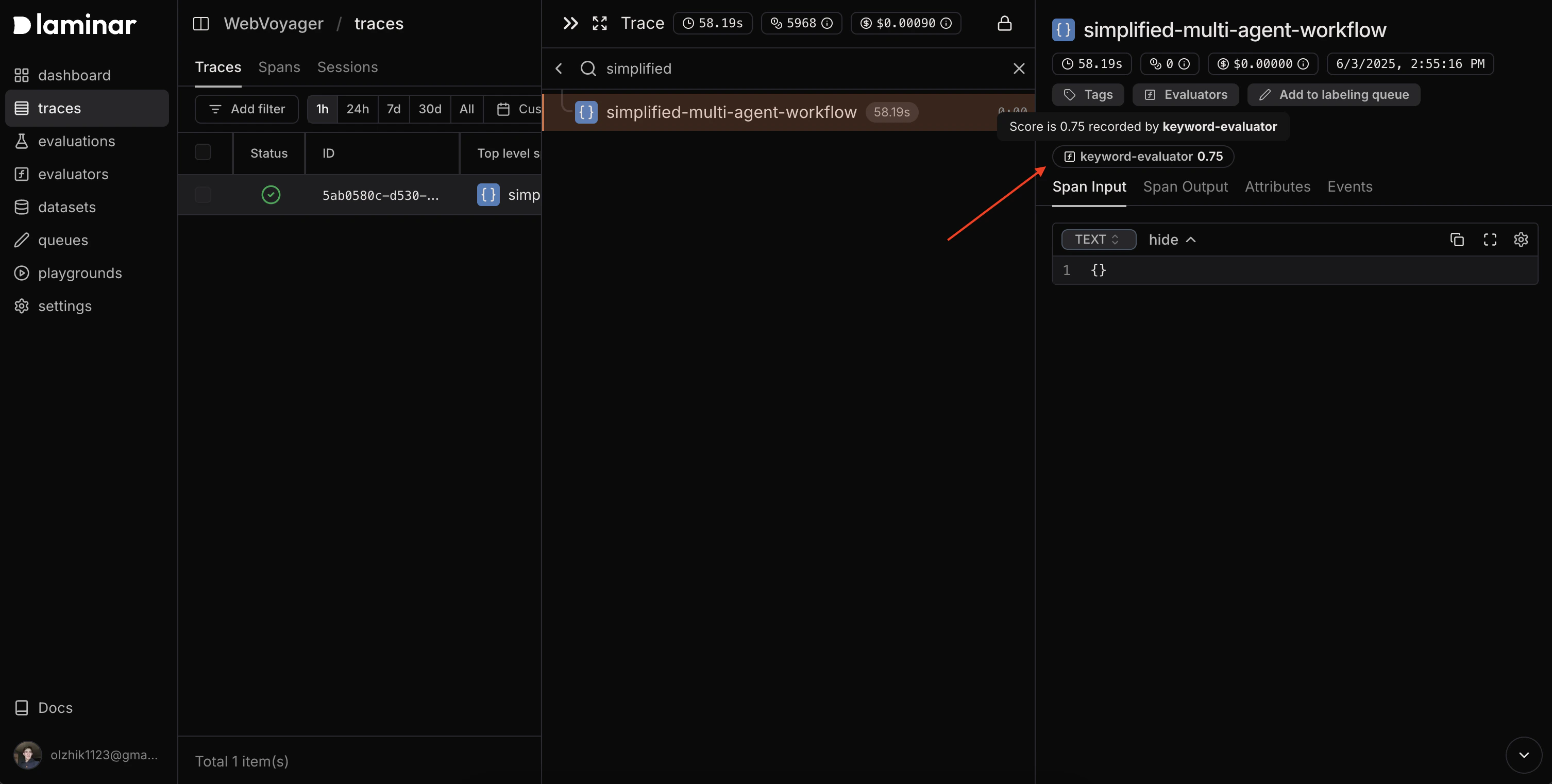
After registration, new spans on that path will automatically trigger your evaluator. Check the span details to see the attached evaluation scores.