> ## Documentation Index
> Fetch the complete documentation index at: https://docs.hipocap.com/llms.txt
> Use this file to discover all available pages before exploring further.
# Sessions
Sessions group related traces (multiple requests / turns) under a shared identifier—useful for conversational AI and multi-step workflows.
* Set a session ID at the trace level so all spans in a trace share it.
* Use the Sessions view in the Laminar UI to review all traces in the same session.
Set the session ID early in your request/handler entry point so downstream spans inherit it.
You must set the session ID inside a span context so it can attach to the current trace (for example, inside an @observed function / observe() call, or by passing sessionId / session\_id via observe options).
## What is a Session?
A **trace** usually represents one request / one conversational turn. A **session** groups multiple traces that belong to the same higher-level flow (for example, an entire chat conversation or checkout process).
## Example
```typescript theme={null}
import { observe } from '@lmnr-ai/lmnr';
// One trace per turn/request; reuse the same sessionId across turns
export async function handleTurn(conversationId: string, userMessage: string) {
return observe({ name: 'handleTurn', sessionId: conversationId }, async () => {
// ... LLM calls / tools ...
});
}
```
See also: [`observe(..., { sessionId })`](/sdk/observe#ts-observe) and [`Laminar.setTraceSessionId`](/sdk/trace-methods#ts-laminar-set-trace-session-id)
```python theme={null}
from lmnr import Laminar, observe
# One trace per turn/request; reuse the same session_id across turns.
# Note: set_trace_session_id must be called inside a span context (e.g., an @observe'd function).
@observe()
def handle_turn(conversation_id: str, user_message: str):
Laminar.set_trace_session_id(conversation_id)
# ... LLM calls / tools ...
```
See also: [`@observe()`](/sdk/observe#py-observe) and [`Laminar.set_trace_session_id`](/sdk/trace-methods#py-laminar-set-trace-session-id)
## Viewing Sessions in Laminar
1. Navigate to the **Traces** page
2. Select the **Sessions** tab
3. Click a session to expand and see all traces within it
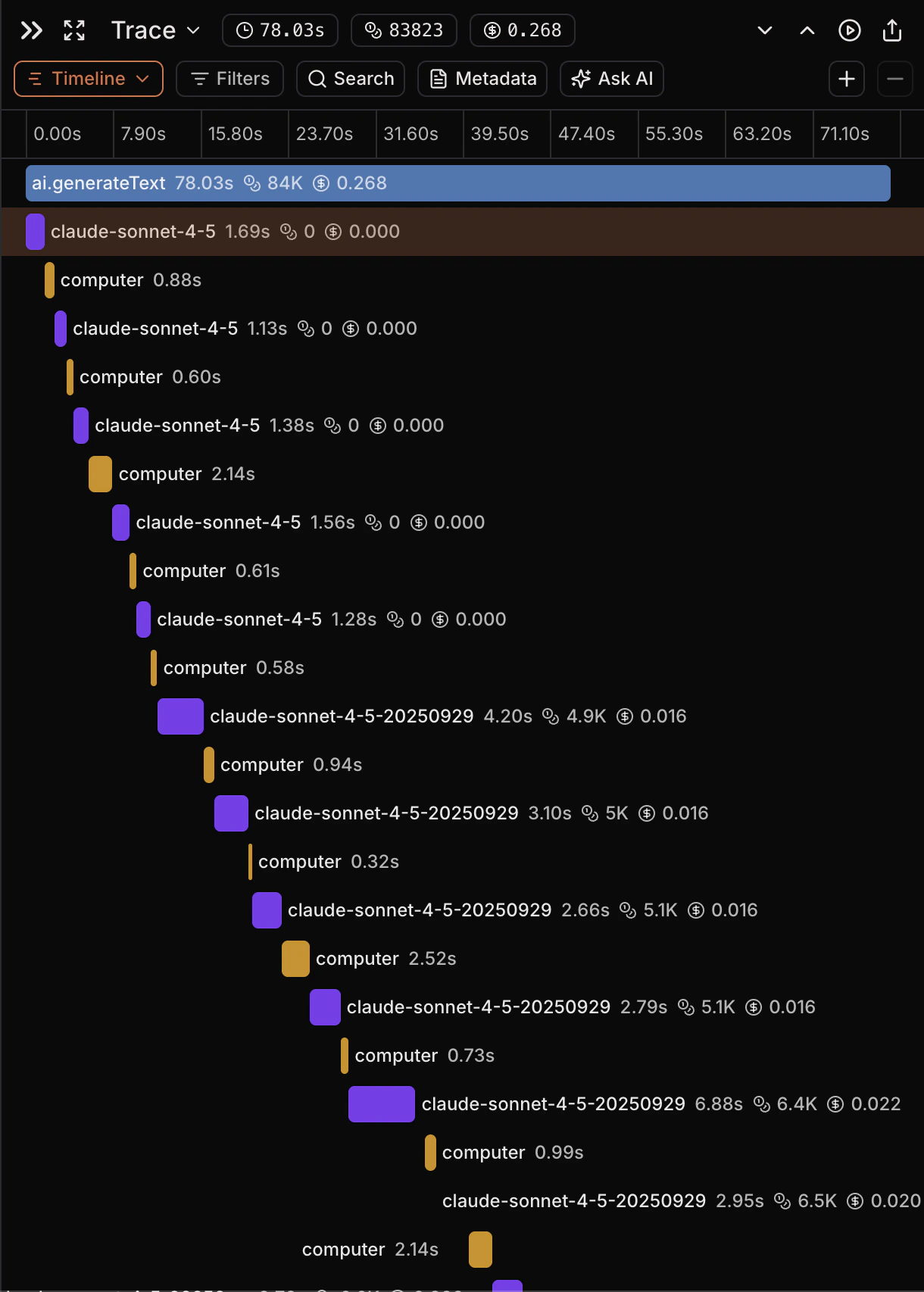
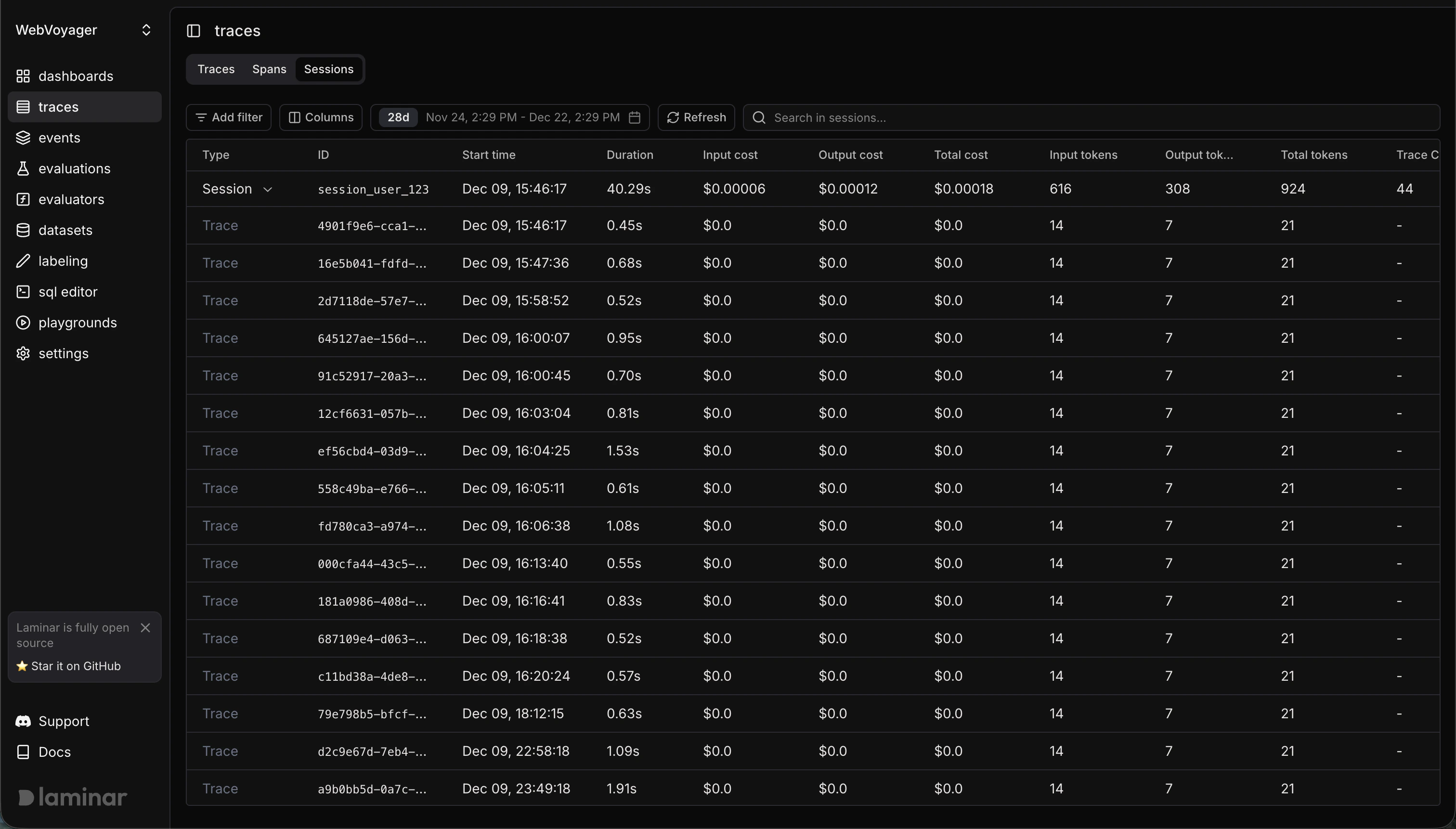 Each trace within a session contains the same information as a standalone trace:
 ## Common Patterns
* **Chatbots:** session = `conversation_id`, trace = one user turn.
* **Workflows:** session = `checkout-{userId}`, trace = each step (`validateCart`, `processPayment`, `createOrder`).
## Common Patterns
* **Chatbots:** session = `conversation_id`, trace = one user turn.
* **Workflows:** session = `checkout-{userId}`, trace = each step (`validateCart`, `processPayment`, `createOrder`).