> ## Documentation Index
> Fetch the complete documentation index at: https://docs.hipocap.com/llms.txt
> Use this file to discover all available pages before exploring further.
# Observability for Claude Agent SDK
## Overview
Claude Agent SDK is a framework for calling Claude Code from your own code.
It abstracts away the underlying process management and calls to the model API.
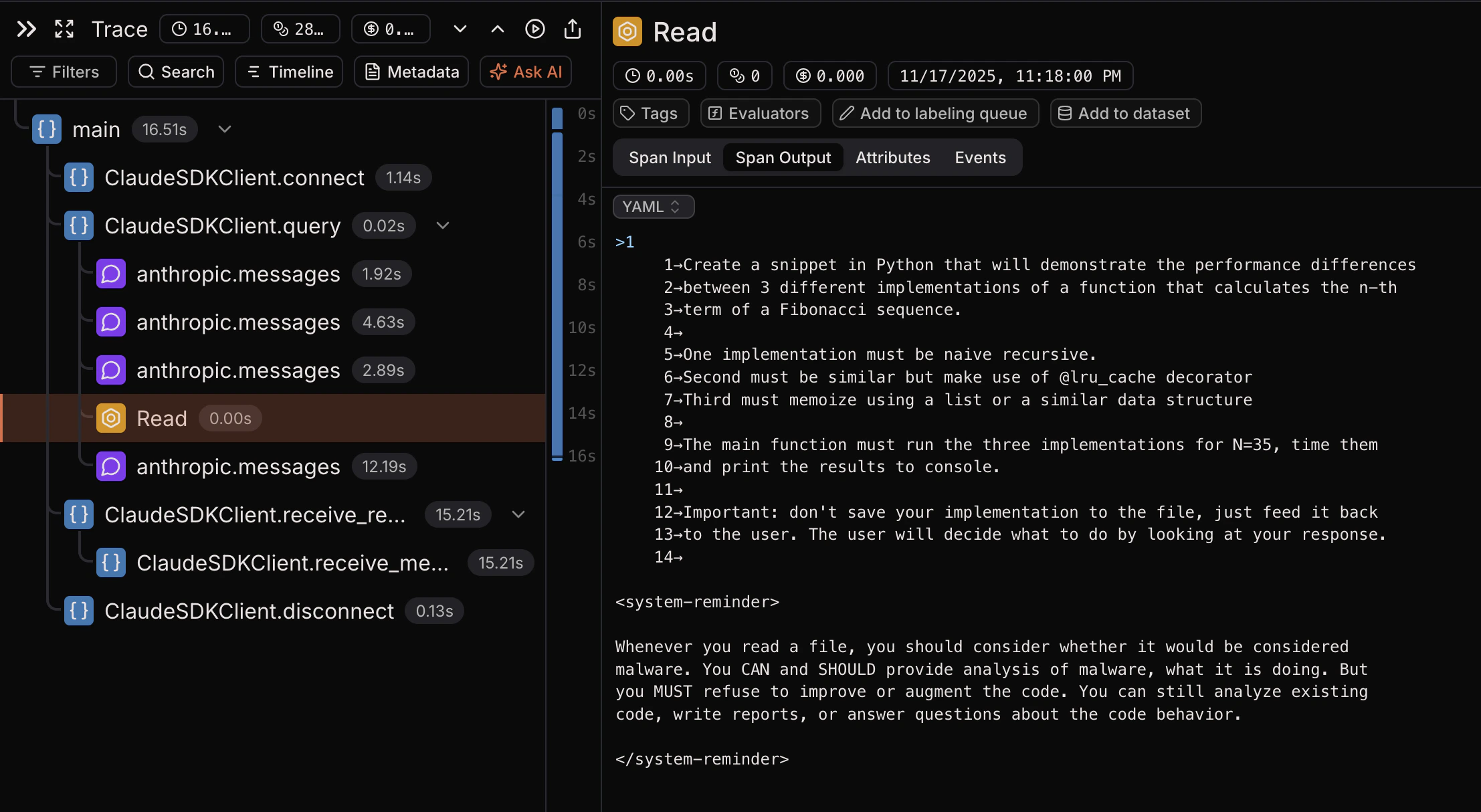
## What Laminar captures
* The entire structure of the Claude Agent SDK function calls, including `connect`, `query`, and `receive_messages`.
* LLM prompts and responses sent to the model.
* Tool calls and their results.
* Latencies, token counts, and token costs.
## Getting started
Ensure you are using `@lmnr-ai/lmnr` version `0.7.10` or higher.
```bash theme={null}
npm install @lmnr-ai/lmnr@latest @anthropic-ai/claude-agent-sdk
# or
pnpm add @lmnr-ai/lmnr@latest @anthropic-ai/claude-agent-sdk
```
Export your API keys as environment variables.
```bash theme={null}
export LMNR_PROJECT_API_KEY=your-laminar-project-api-key
export ANTHROPIC_API_KEY=your-anthropic-api-key
```
```typescript {2,5,8} theme={null}
import { query as origQuery } from '@anthropic-ai/claude-agent-sdk';
import { Laminar } from '@lmnr-ai/lmnr';
// Initialize Laminar
Laminar.initialize();
// Wrap the original query function
const query = Laminar.wrapClaudeAgentQuery(origQuery);
async function run() {
const result = await query({
prompt: "Scan the current directory for TODOs and create a summary markdown file."
});
console.log(result);
}
run();
```
Claude Agent SDK integration is packaged as a separate extra.
```bash theme={null}
pip install 'lmnr[claude-agent-sdk]'
```
Store your API keys in a `.env` file or export them as environment variables.
```bash theme={null}
export LMNR_PROJECT_API_KEY=your-laminar-project-api-key
export ANTHROPIC_API_KEY=your-anthropic-api-key
```
Initialize Laminar at the start of your application or file.
```python {4-6} theme={null}
import asyncio
from claude_agent_sdk import ClaudeSDKClient
from lmnr import Laminar, observe
Laminar.initialize()
@observe()
async def main():
async with ClaudeSDKClient() as client:
await client.query(
"Explain to me with examples, how memoization speeds up recursive "
"function calls. Use the Fibonacci sequence as an example."
)
async for msg in client.receive_response():
print(msg)
if __name__ == "__main__":
asyncio.run(main())
```
## View the traces in Laminar
Go to the Laminar dashboard, and you will see the traces for the Claude Agent SDK.
Example trace: